Wi-Fi and internet · Phuket
Wi-Fi installation in Phuket — coverage in every corner
The provider brings the line to your door — we take care of everything after that. Router setup, access points, a guest network and backup internet for villas, condos, offices and cafes.
- Coverage without dead zones, from the bedroom to the pool
- One network name across the whole property
- Backup internet that switches on automatically

Internet that reaches every room
A typical story in Phuket — the provider installs one router in the corner of the living room, and the bedrooms, terrace and pool area are left with a weak signal. With thick walls, several floors and a large plot, a single router is not enough, and video calls keep freezing.
We inspect the property (the visit is free in Phuket), decide where routers and access points should go and send you a quote. Then we install them and configure everything so that your phone moves between them without dropping the connection. Guests get their own network, and you keep your devices separate.
Internet in Thailand goes down from time to time, and so does the power. A second provider or a 4G/5G modem takes over automatically when the main line drops, and a UPS keeps the router running during short power cuts.
What we do
-
Router Connection and Setup
We connect the router to the provider's line and set the network name, passwords and security properly.
-
Whole-Property Coverage
Several routers or access points placed so that there are no dead zones on any floor or outdoors.
- Bedrooms, terrace, pool and garden
- Multi-story houses and long buildings
- Offices, cafes and hotel corridors
-
Seamless Wi-Fi
One network across the whole property — your phone usually switches between access points without dropping a call.
-
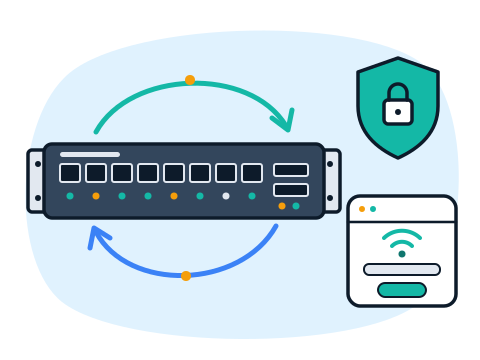
Guest Network
A separate Wi-Fi network for guests and visitors that has no access to your computers, cameras and other devices.
-
Backup Internet
A second provider or a 4G/5G modem that switches on automatically when the main internet goes down.
-
Backup Power for the Router
A UPS for the router and network equipment, so the internet keeps working during short power cuts.
-
Diagnostics and Troubleshooting
Slow speed, dropouts, devices that will not connect — we find the cause and fix it, including on networks set up by others.
Who it's for
-
Villas and Houses
Signal in every bedroom, on the terrace and by the pool; a separate network for guests.
-
Condos and Apartments
Stable internet for work and video calls, plus backup when the building's line fails.
-
Offices
Reliable Wi-Fi for staff, a guest network for visitors and internet that does not interrupt work.
-
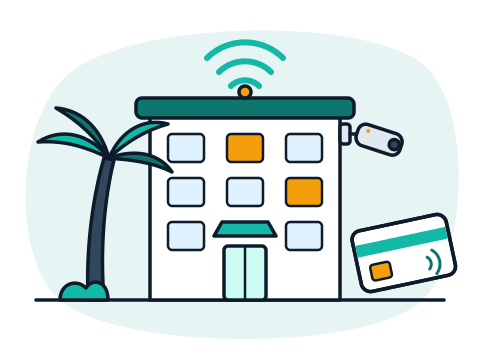
Cafes, Restaurants and Hotels
Guest Wi-Fi across the whole venue, kept separate from the POS and staff devices.
How we work
-
You Message Us
A few words about the task, the place and the deadline — on WhatsApp, Telegram or by email.
-
We Review the Task
We ask the right questions and, if needed, come on site to see the property or the current setup. In Phuket this visit is free.
-
Plan and Estimate
You get a clear list of work and equipment and the price before anything starts.
-
We Do the Work
Installation and setup, a check that everything works, and a short walkthrough for you or your staff.
-
We Stay in Touch
Questions after the job, changes and maintenance — remotely or on site.
Why work with us
-
One Team for All Your IT
Cameras, Wi-Fi, network, computers, servers, CRM and bots — no need to look for five different contractors.
-
Plain Language
We explain what we do and why, without jargon. You understand what you are paying for.
-
English and Russian
We speak your language — questions, estimates and instructions in English or Russian.
-
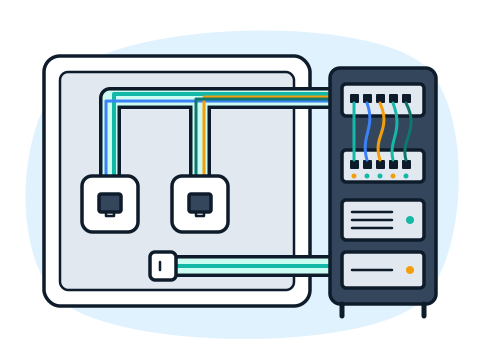
Neat, Documented Work
Tidy cabling, labeled equipment and passwords handed over to you — the system stays yours.
-
On Site and Remotely
We come to your property in Phuket and solve many tasks remotely, wherever you are in Thailand.
Frequently asked questions
Why is Wi-Fi weak in some rooms if the internet plan is fast?
The plan only describes the speed of the line coming into the property. Walls, floors and distance weaken the signal from a single router. Extra access points in the right places fix this, and you get close to the speed you pay for in every room.
What is seamless Wi-Fi?
Several access points work as one network with one name and password. As you walk around the property, your phone connects to the nearest access point automatically, usually without reconnecting or dropping a video call.
How does backup internet work?
We connect a second provider or a 4G/5G modem to the router. When the main internet drops, the router switches to the backup line automatically, and switches back when the main line returns.
Can the internet survive a power cut?
Yes, during short cuts. A UPS (backup power unit) keeps the router and access points running. If the provider's equipment in the street also loses power, the 4G/5G backup helps keep you online.
My Wi-Fi was set up by someone else. Can you fix it?
Yes. We check the existing equipment and settings, find what causes the problems and tell you what can stay. Often a few changes are enough, without buying everything new.
Does a cafe or guesthouse need to keep Wi-Fi logs?
Yes. Thai law requires places that give internet access to visitors to keep connection logs for at least 90 days. We can set this up together with the guest network. A guest network at home does not need it.
Do you work outside Phuket?
Our main area is Phuket; other cities in Thailand are possible by arrangement. Some settings can also be checked and changed remotely.
Tell us where the signal is weak
Write a few words — the type of property, the number of floors and where Wi-Fi does not reach. We reply with questions and suggest a solution.
Write to us
Message us on WhatsApp or Telegram, or send an email — we do not take phone calls. Describe the task in a few words and we will reply with questions and the next step.