Bitrix24 and CRM · Phuket
Bitrix24 and CRM setup in Phuket — so no lead gets lost
Messages from WhatsApp, Telegram, your website and ads land in one CRM, go to the right manager and move through a clear sales pipeline.
- Every request recorded, with its source
- Sales stages that match how you actually sell
- Reminders and routine steps handled by the CRM

Why requests go missing — and how a CRM fixes it
In Phuket, clients write wherever is convenient for them — WhatsApp, Telegram, Instagram, a form on the website, a phone call after seeing an ad. When each manager answers from a personal phone, some requests are never answered, others are forgotten after the first reply, and the owner has no idea how many leads came in this week.
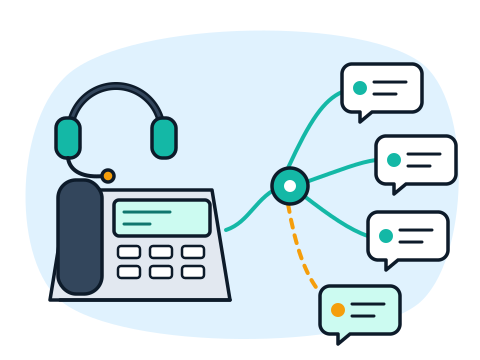
We connect these channels to Bitrix24, so every new message becomes a lead or a deal with a responsible person and a next step. You can see the whole history of a client in one card, and managers get reminders instead of relying on memory.
Already on Bitrix24 but it is a mess? We clean up duplicates, rebuild the pipelines around your real process and switch off what nobody uses.
What we do
-
Bitrix24 Implementation
We set up the portal from scratch — users, departments, access rights and the CRM structure.
- Lead and deal cards with the fields you really need
- Access rights for managers and the owner
- A short walkthrough for your team
-
Sales Pipelines
Deal stages built around your process — for example, request, quote, prepayment, job done.
-
WhatsApp and Telegram Integration
Chats from WhatsApp (through the official WhatsApp Business connection) and Telegram arrive in Bitrix24 and are answered from there, with the full conversation saved.
-
Automatic Handling of Requests
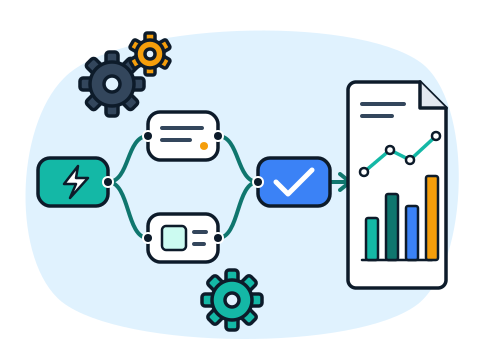
New requests are assigned to a manager, tagged with their source and get tasks and reminders automatically.
-
Lead Deduplication
We find and merge repeat contacts, so one client is one card, not five.
-
Integration with Other Services
Website forms, ad platforms, telephony and other systems connected to the CRM.
-
On-Premise Bitrix24 Migration
Moving a self-hosted (on-premise) Bitrix24 to a new server, carefully and with a backup first.
-
Ongoing Support
Changes to pipelines and fields, new users, fixes when something stops working.
Who it's for
-
Real Estate and Rentals
Many inquiries from different channels, long conversations and repeat clients.
-
Tours, Car and Bike Rentals
Bookings for tours, cars and bikes from WhatsApp, Telegram and the website in one list.
-
Service Businesses
Repair, cleaning, renovation, beauty — requests, quotes and follow-ups under control.
-
Companies Already on Bitrix24
The CRM is there, but leads are duplicated, stages are unclear and the team avoids it.
How we work
-
You Message Us
A few words about the task, the place and the deadline — on WhatsApp, Telegram or by email.
-
We Review the Task
We ask the right questions and, if needed, come on site to see the property or the current setup. In Phuket this visit is free.
-
Plan and Estimate
You get a clear list of work and equipment and the price before anything starts.
-
We Do the Work
Installation and setup, a check that everything works, and a short walkthrough for you or your staff.
-
We Stay in Touch
Questions after the job, changes and maintenance — remotely or on site.
Why work with us
-
One Team for All Your IT
Cameras, Wi-Fi, network, computers, servers, CRM and bots — no need to look for five different contractors.
-
Plain Language
We explain what we do and why, without jargon. You understand what you are paying for.
-
English and Russian
We speak your language — questions, estimates and instructions in English or Russian.
-
Neat, Documented Work
Tidy cabling, labeled equipment and passwords handed over to you — the system stays yours.
-
On Site and Remotely
We come to your property in Phuket and solve many tasks remotely, wherever you are in Thailand.
Frequently asked questions
Do I need the cloud or the on-premise version of Bitrix24?
For most small businesses the cloud version is enough and is easier to maintain. The self-hosted version makes sense when you need your own server or deep custom changes. We explain the difference for your case before you choose.
Can my managers keep answering clients on WhatsApp?
Yes — after the integration they reply from Bitrix24, and the client sees ordinary WhatsApp messages. The difference is that the conversation is saved in the CRM and does not disappear when a manager leaves.
We already have Bitrix24, but nobody uses it. Can you help?
Yes. Usually the reason is too many fields, unclear stages or leads that do not arrive automatically. We look at how the team actually works and simplify the CRM so it saves time instead of adding work.
Can ads and the website send leads straight to the CRM?
Yes. Website forms and ad leads can create deals in Bitrix24 with the source marked, so you can see which channel brings clients.
Can you move our self-hosted Bitrix24 to another server?
Yes. We make a backup, move the system and data to the new server, check that everything works, and only then switch your team over.
Do you work remotely?
Yes. CRM setup is done almost entirely online, so we work with businesses across Thailand. In Phuket we can also meet in person to go through your process.


Tell us how you get clients
Write which channels your requests come from, how many people handle them and whether you already use a CRM. We will ask a few questions and suggest where to start.
Write to us
Message us on WhatsApp or Telegram, or send an email — we do not take phone calls. Describe the task in a few words and we will reply with questions and the next step.